
User guide — DVID Experience
Introduction
Welcome to DVID Experience, the IoT / OT cybersecurity training platform by DVID. This guide walks you step by step, from creating your account to tracking your trainings.
Technical requirements
Before you start, make sure you have:
- A recent web browser (Chrome, Firefox, Edge — latest version recommended)
- A stable internet connection
- The DVIDv2 electronic board for "Hardware" trainings ("Virtualization" trainings do not require any hardware)
1. Accessing DVID Experience
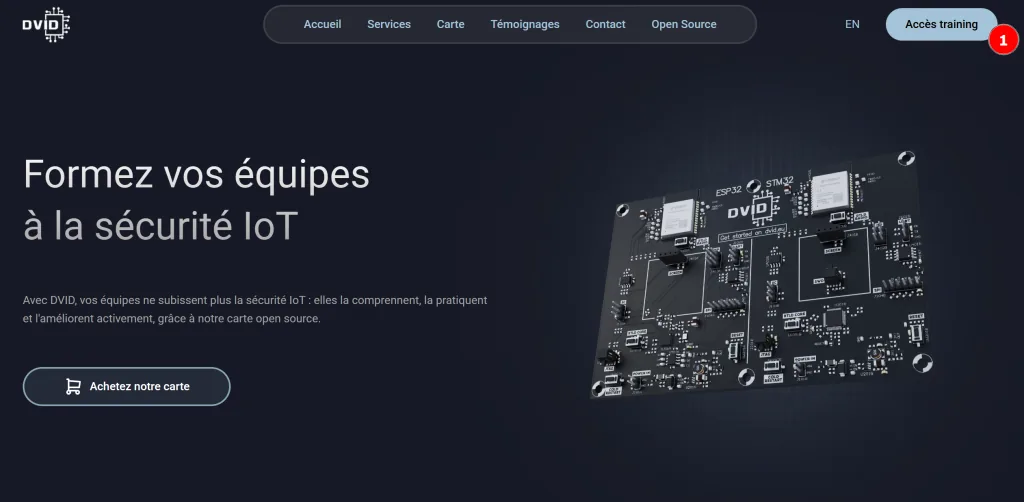
To access the platform, go to dvid.eu and click the "Access training" button.
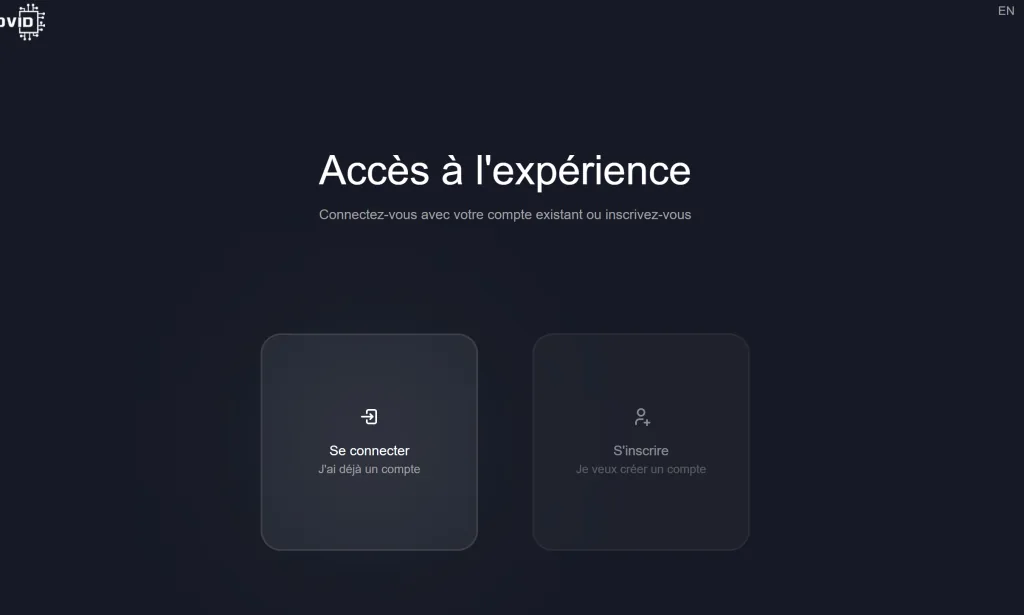
You will be redirected to the training platform: experience.dvid.eu.
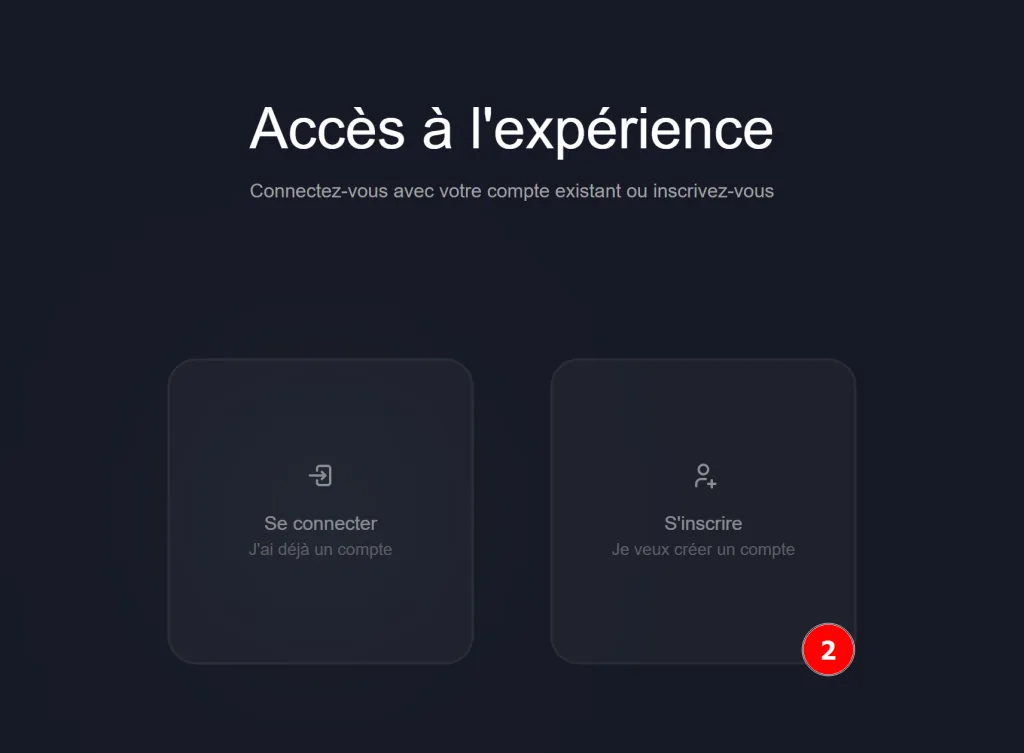
2. Creating your account
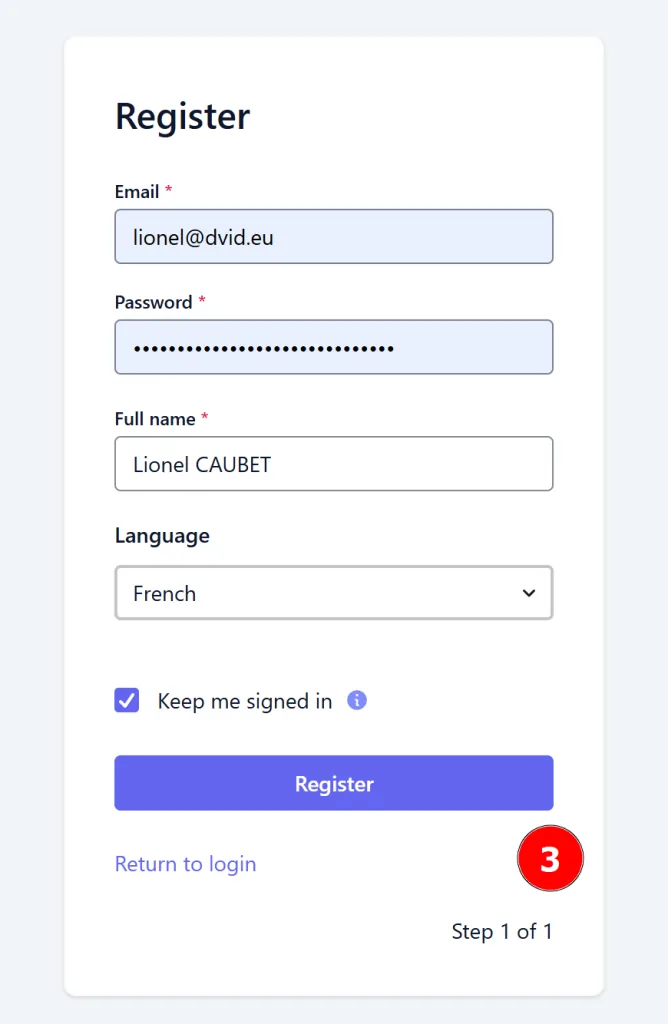
Click "Sign up" to create a free account.
Fill in the requested information and choose a password that follows the ANSSI recommendations:
- At least 12 characters
- At least one lowercase letter
- At least one uppercase letter
- At least one digit
- At least one special character among:
#?!@$%^&*-'+()_[]
Once the information is entered, click Register.
3. Discovering the platform
You are now logged in with a free license. It gives access to a selection of free trainings, renewed every month (at least 1 Hardware, 1 Policies and 1 Cloud).
Free license vs paid license: the free license lets you discover the platform with limited access to a few trainings. Paid licenses (individual or company) unlock the full catalog, complete certifications and detailed progress tracking.
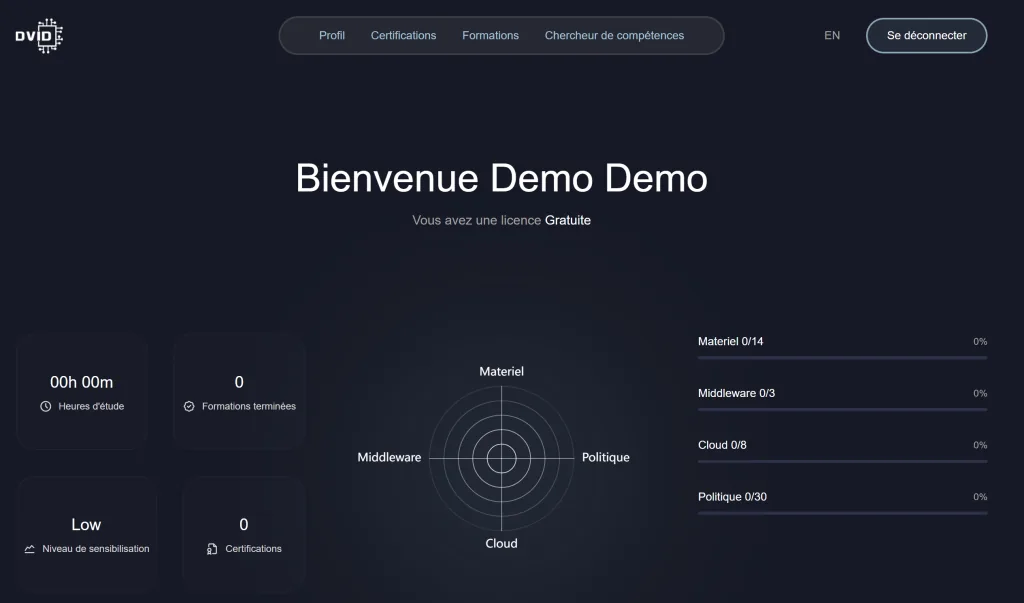
Two ways to access trainings are offered:
- Certifications: structured learning paths with a completion goal
- Trainings: individual access to all available trainings
4. Your learner profile
4.1 Overview
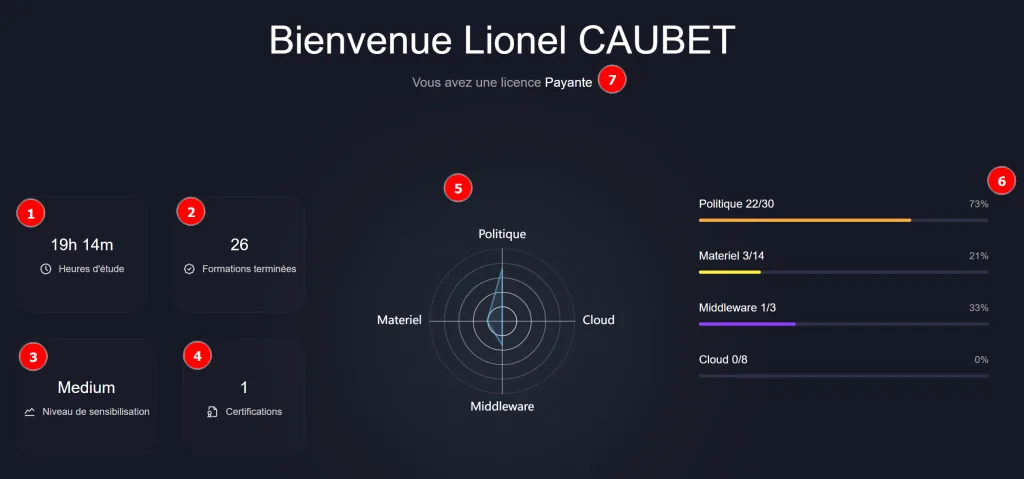
The Profile tab gathers information about your learning path:
- Total time spent on the DVID Experience platform
- Number of completed trainings
- Overall IoT / OT cybersecurity awareness level
- Number of validated certifications
- Overall completion chart (completion percentage per topic)
- Completion details by theme
- License type
4.2 Standards
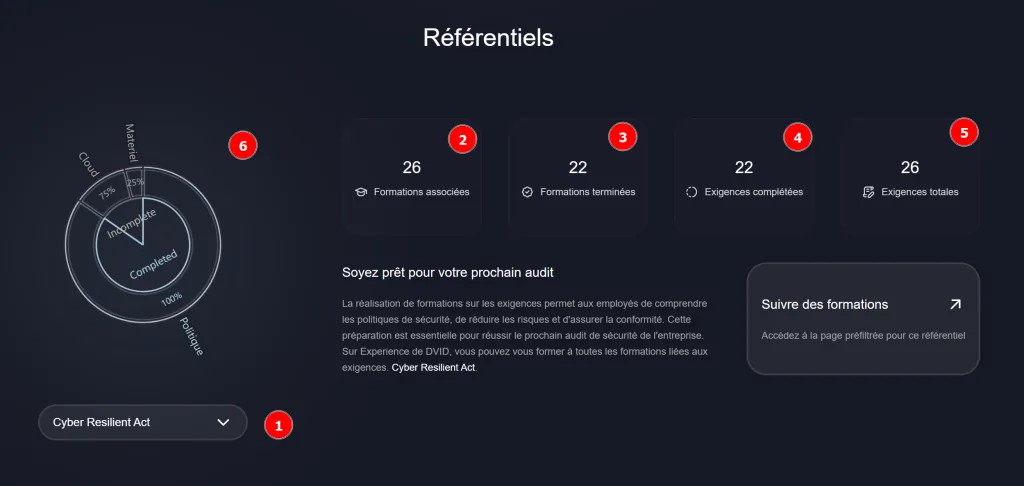
This section lets you consult a standards framework and assess your skills coverage.
- Framework selection
- Total number of trainings linked to the framework's requirements
- Number of those trainings completed
- Number of requirements for which trainings have been completed
- Total number of requirements
- Framework coverage chart
Clicking "Follow the trainings" displays the list of trainings linked to the selected framework's requirements.
4.3 Certifications (tracking)
This section shows the progress of your ongoing certifications.
Once all the trainings of a certification are completed, a certificate of completion is issued. You can download it from the link in your profile.
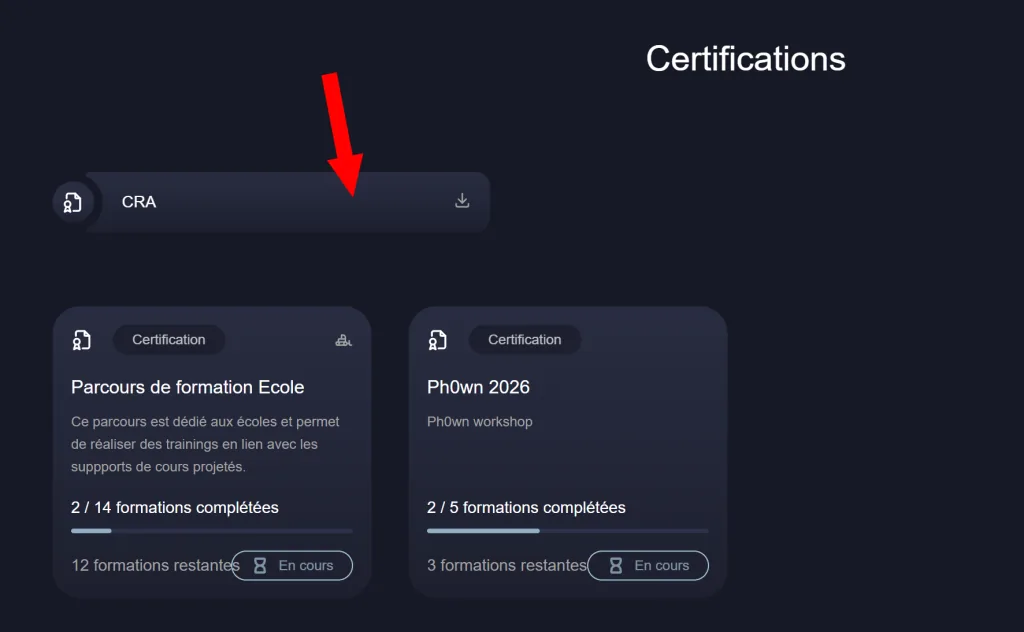
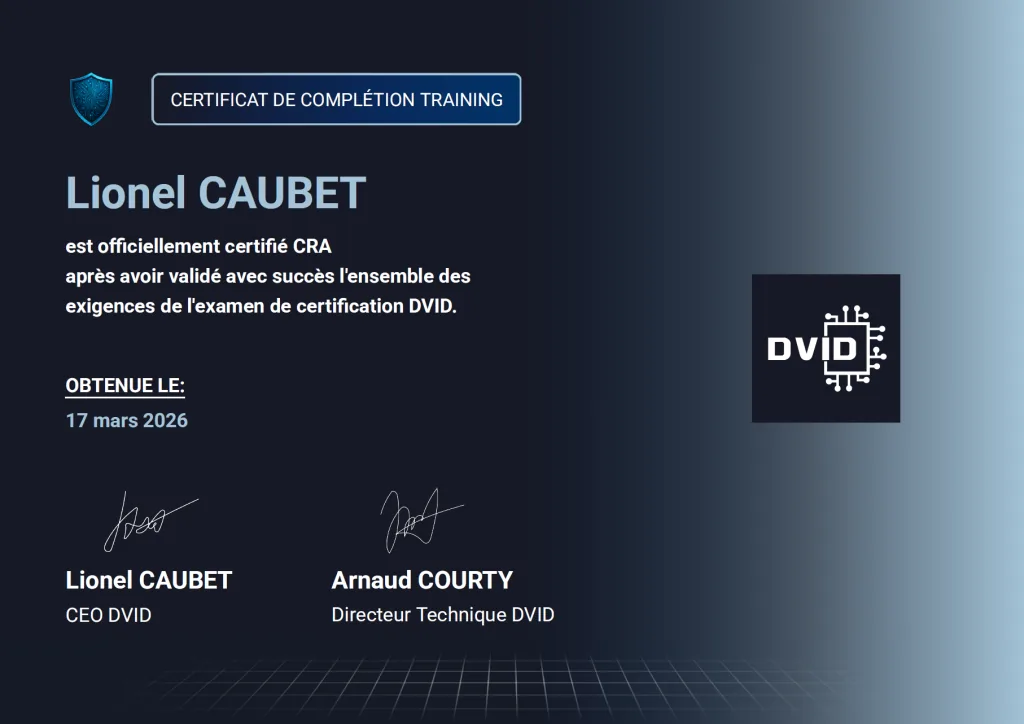
5. Available certifications
The platform currently offers three certifications:
- School training path: learning the core skills of IoT cybersecurity
- IEC 62443 (4-2): industrial cybersecurity requirements for components
- CRA: cyber requirements related to the Cyber Resilience Act
6. Training catalog
The Training tab gives access to all the platform's trainings. Several filters help narrow your search:
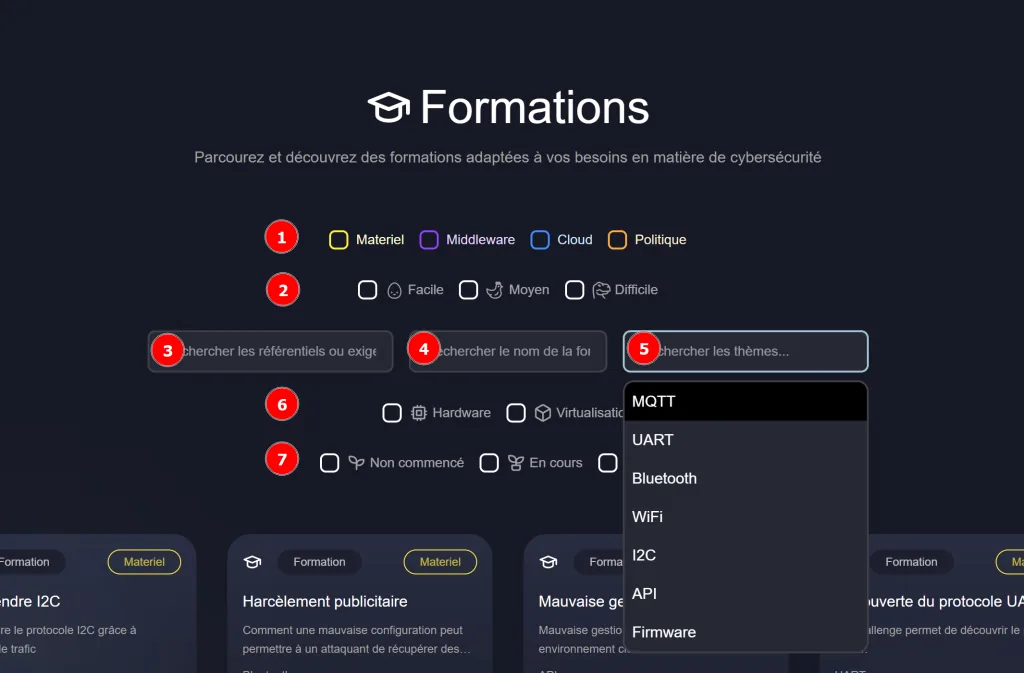
1- By category:
- Hardware — hardware vulnerabilities
- Middleware — middleware layer (MQTT…)
- Cloud — Cloud vulnerabilities
- Policy — putting standards and requirements into practice (CRA, IEC 62443…)
2- By difficulty:
- Easy — no prerequisites
- Medium — knowledge of the topic expected
- Hard — for advanced learners
3- By requirement — trainings linked to standards requirements
4- By name — text search
5- By theme — MQTT, UART, Bluetooth, WiFi, I2C, Firmware, API
6- By training type:
- Hardware — hands-on work on the DVIDv2 board
- Virtualization — practice through the terminal built into the browser
7- By status — Not started / In progress / Completed
To start a training, simply click the one you want.
7. Following a training
Once you have selected a training, the page looks like this:
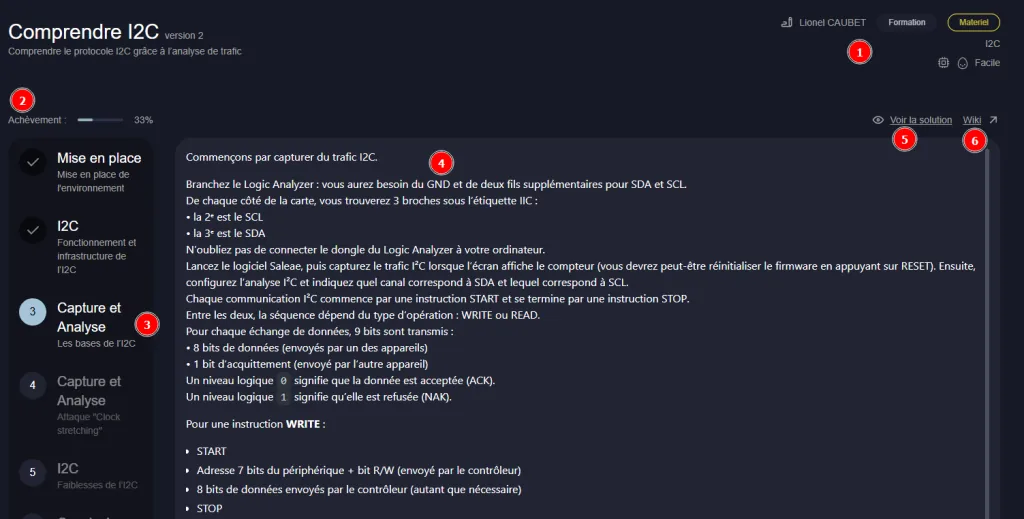
The training is organized as follows:
- Summary of the training information
- Progress percentage
- Side navigation bar between steps
- Step content
- Solution display
- Link to the DVID Wiki
8. Glossary
| Term | Definition |
|---|---|
| Training | Single training module on a specific subject |
| Topic | Theme grouping several trainings (e.g. MQTT, Bluetooth…) |
| Certification | Structured path made up of several trainings, leading to a certificate |
| Virtualization | Online practice mode through a terminal emulated in the browser, without physical hardware |
| DVIDv2 | Open source electronic board designed by DVID for hardware exercises |
| Framework | Set of normative requirements (CRA, IEC 62443…) that trainings are linked to |
9. Support
For any question, join our Discord server to chat with the DVID team and other learners: Join the Discord